

The big picture: You’re no longer limited to one channel. To send WhatsApp messages you can use either the SMS channel or the new WhatsApp QR channel, and to send iMessages you use the iMessage channel-all from the same Conversations inbox.
Sending WhatsApp messages
There are two ways to send WhatsApp messages, and you can use either one:1. WhatsApp QR channel
We’ve now built our own dedicated channel called WhatsApp QR. Instead of piggy-backing on the SMS provider, WhatsApp QR is a purpose-built conversation provider for WhatsApp.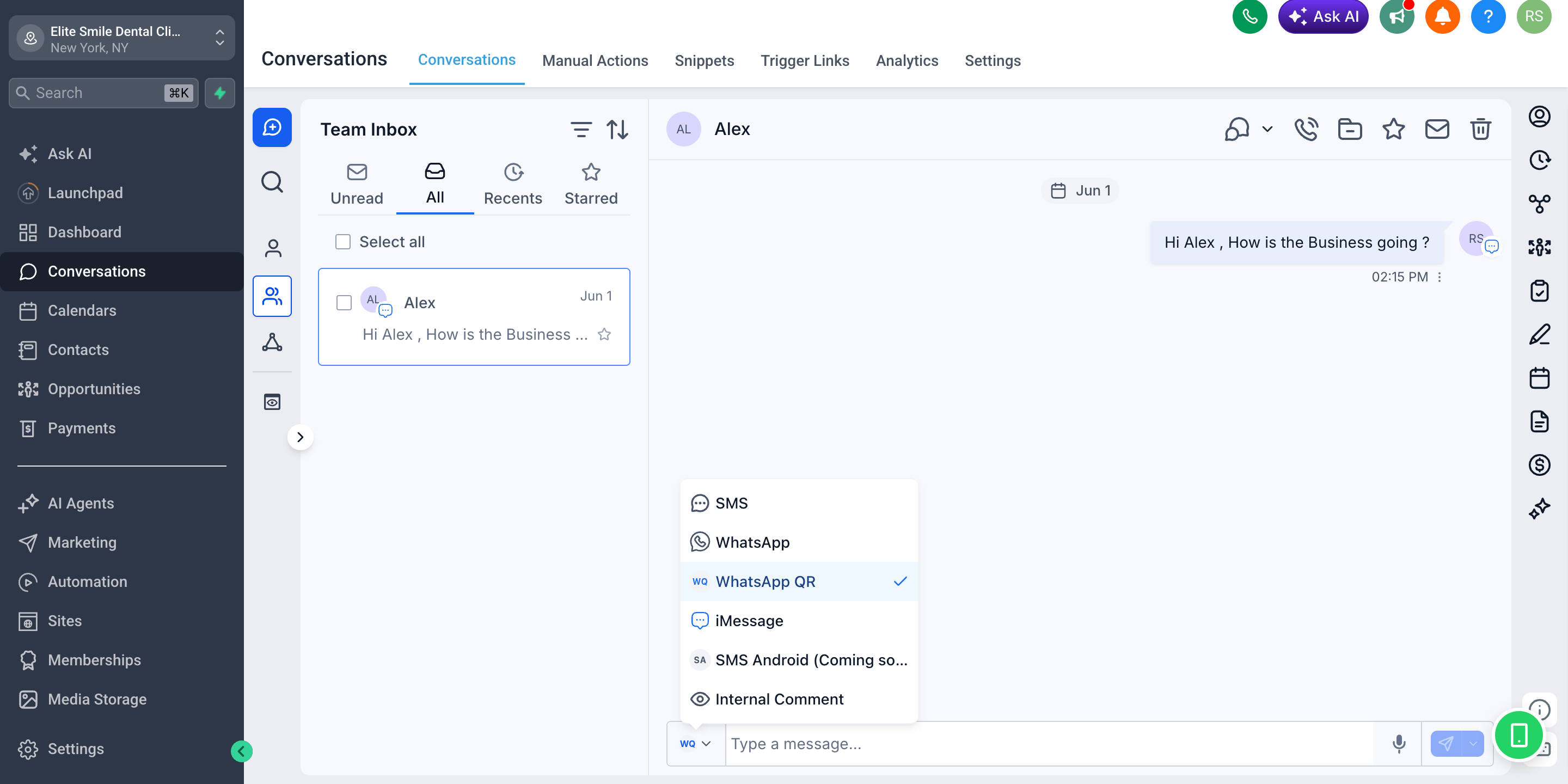
2. SMS channel
Enable the SMS Provider for your sub-account- Select your target sub-account and go to settings
- Go to
Settings > Phone Number > Advance Settings
- Go to
- Select WhatsApp as custom SMS provider
- Click on Save button
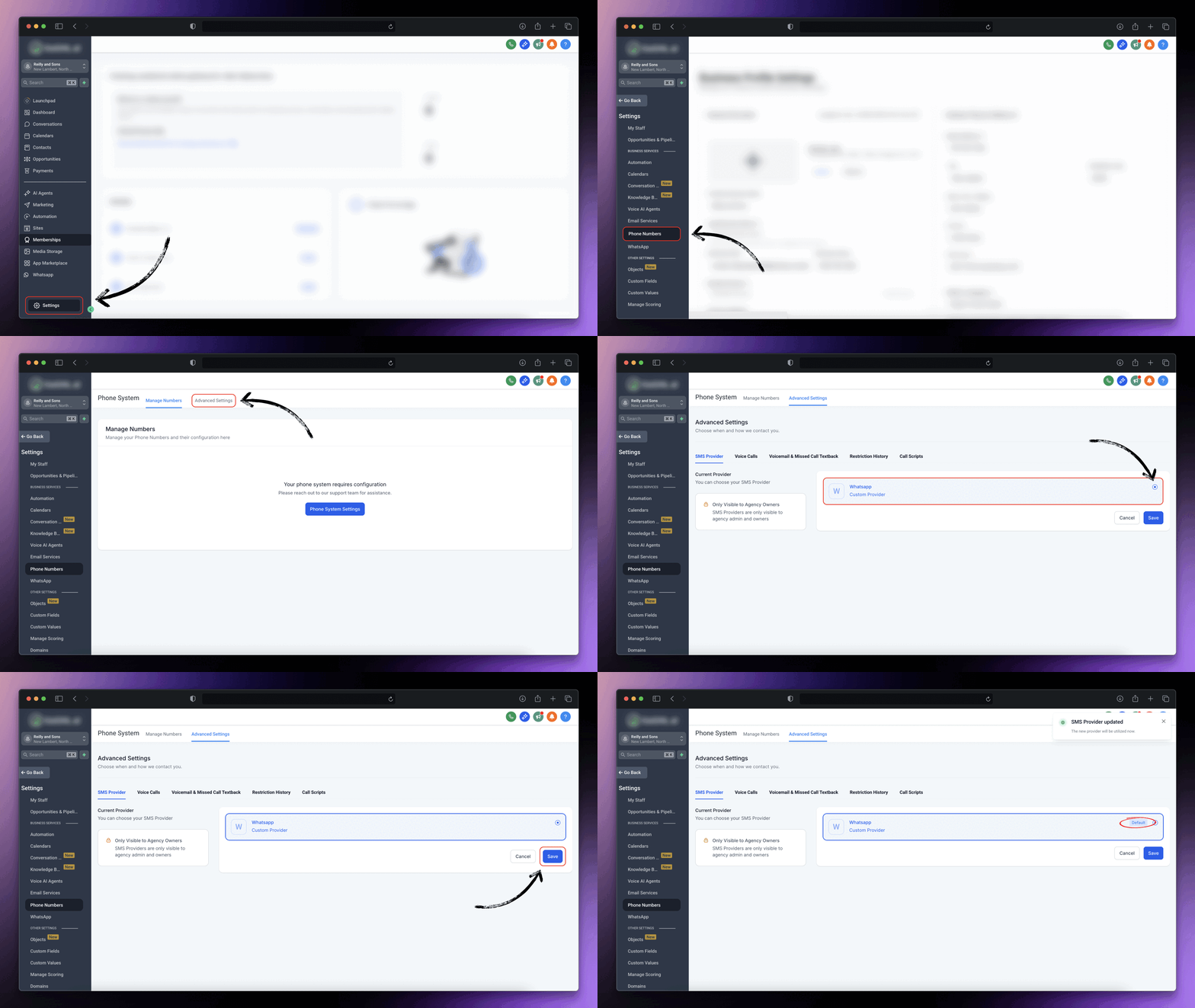
Both the WhatsApp QR channel and the SMS channel send WhatsApp messages. The WhatsApp QR channel is the newer, cleaner option; the SMS channel remains available as the original method.
Sending iMessage messages
To send iMessages, use the iMessage channel. By connecting an Apple device (a Mac running the iMessage Sync app), you can send and receive iMessages directly from CRM Conversations.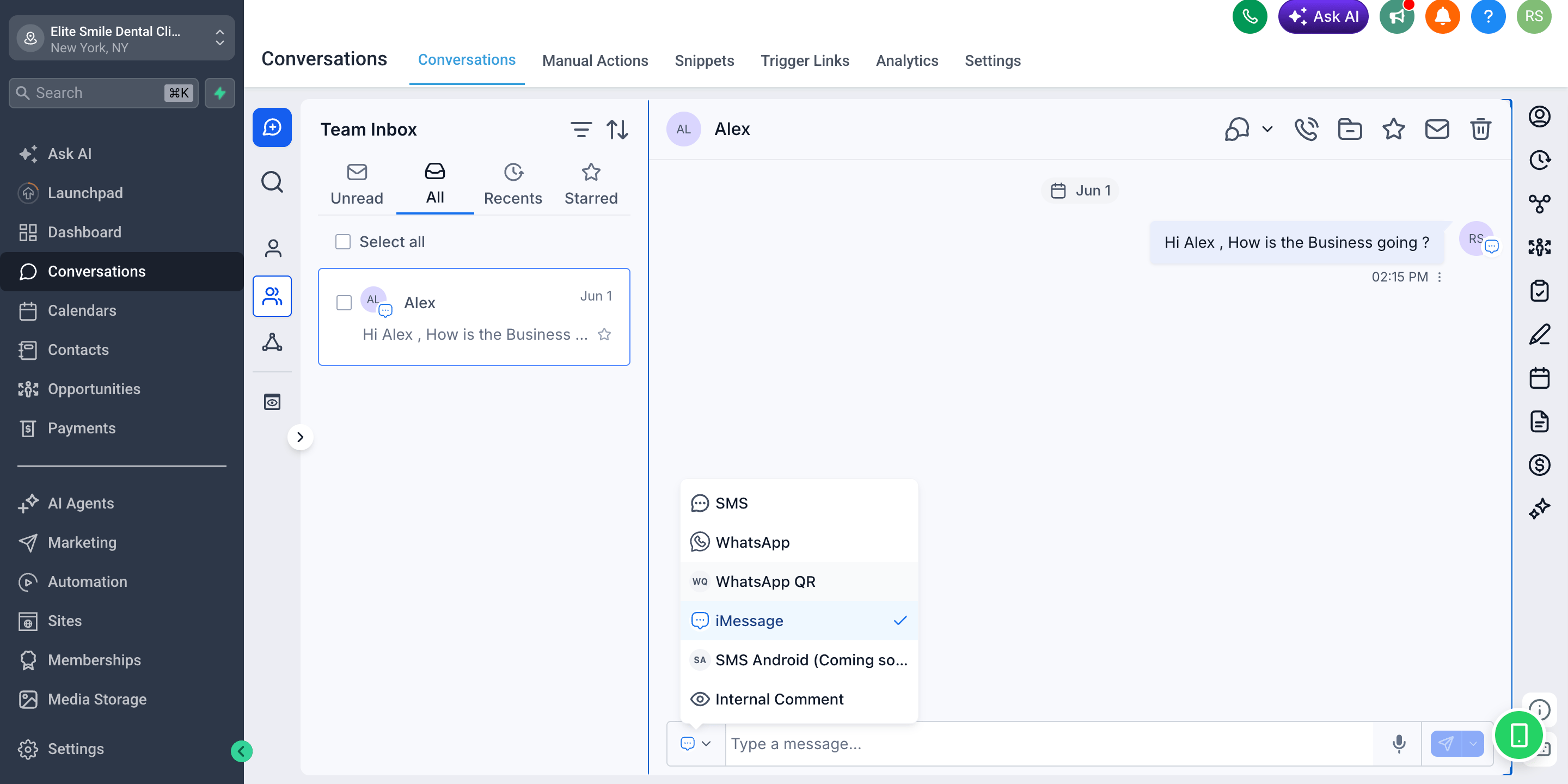
- Blue-bubble messages land natively in the recipient’s Messages app
- Reach iPhone users on the channel they use most
- Two-way replies sync back into the Conversations inbox
- Automatic SMS fallback when the recipient isn’t on iMessage
Available providers
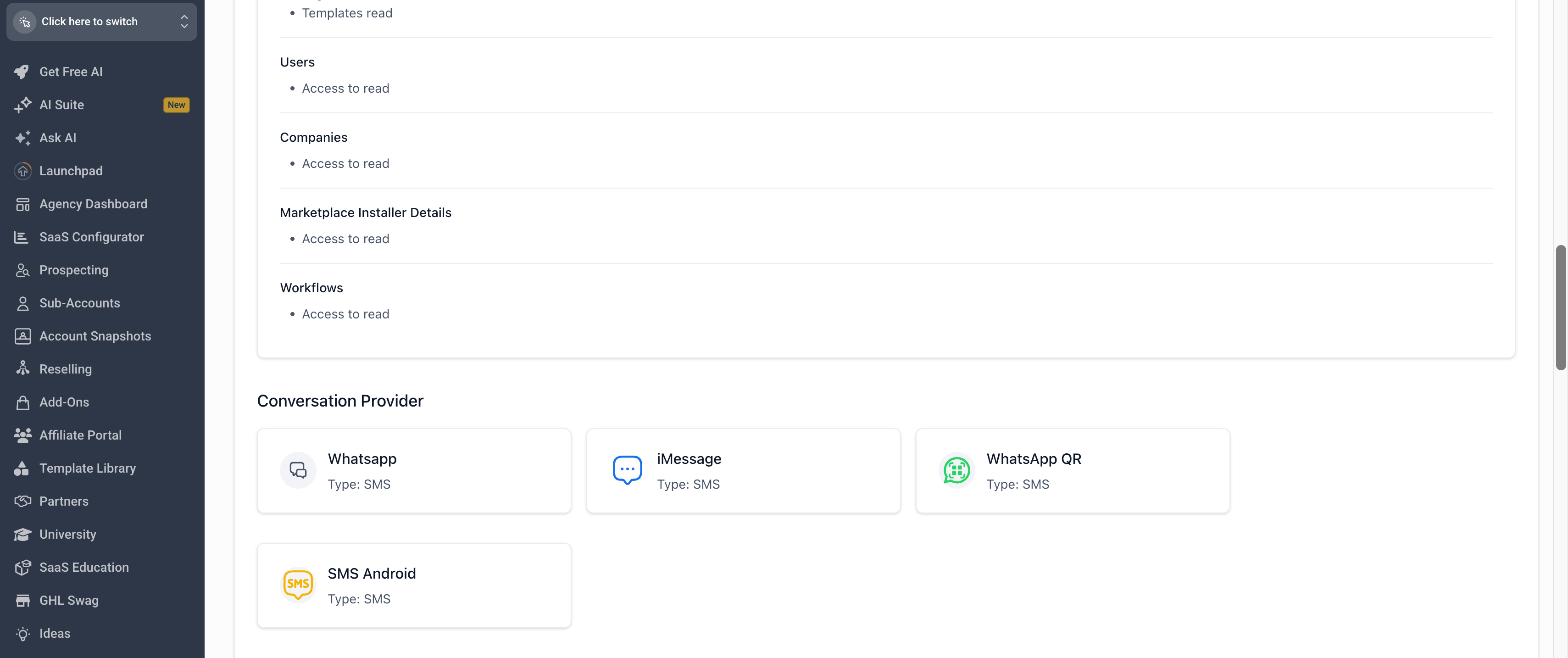
All custom providers register under the SMS message type in CRM. This is what lets them appear in the Conversations composer alongside native channels-it does not mean the messages are sent as carrier SMS.
FAQs
Can I use SMS and WhatsApp QR at the same time?
Can I use SMS and WhatsApp QR at the same time?
Yes. Both can be active on the same sub-account, and both send WhatsApp messages. WhatsApp QR is the new dedicated channel; SMS is the original method that sends WhatsApp by overriding the phone system. Pick either one per message from the composer.
Why do all the providers show 'Type: SMS'?
Why do all the providers show 'Type: SMS'?
Custom conversation providers register under CRM’s SMS message type so they appear in the Conversations composer. It does not mean messages are sent as carrier SMS-WhatsApp QR sends over WhatsApp and iMessage sends over iMessage.
Can I send iMessages from CRM?
Can I send iMessages from CRM?
Yes. By connecting an Apple device running the iMessage Sync app, iMessage becomes a custom provider you can select in the composer. See the iMessage Documentation hub for setup details.
How do I switch channels for a single contact?
How do I switch channels for a single contact?
Open the conversation, click the channel dropdown in the message composer, and choose the provider you want (SMS, WhatsApp, WhatsApp QR, or iMessage). The selection is remembered for that conversation until you change it.
Support
If you need help with the setup or onboarding:- WhatsApp Support: Chat on WhatsApp
- Email: support@goghl.ai