

What It Does
Custom JS Features are optional enhancements that plug directly into your GoHighLevel (GHL) conversations and message builder. They are delivered through a single custom JavaScript snippet that you add once at the agency level. Once installed, every feature becomes available to all of your sub-accounts, and you can turn each one on or off from your dashboard.Key Benefits
- One-time setup at the agency level — no per-sub-account work.
- Enhance the native GHL conversation and message-building experience.
- Toggle each feature on or off for all sub-accounts from a single dashboard.
- New features are added over time without any change to your setup.
One-Time Setup
The features require a small one-time script setup in your agency account. Once activated, they are enabled for all your sub-accounts.1
Switch to Agency View in your GoHighLevel dashboard.
2
Navigate to Settings → Company.
3
Select the Whitelabel tab.
4
Scroll down to the Custom JS Section.
5
Paste the appropriate script based on your GHL UI:
- New GHL UI:
- Classic GHL UI (legacy):
6
Click Save Changes.
Toggling Features On or Off
After the one-time setup, you don’t need to touch the script again to manage individual features. From your dashboard you can enable or disable each feature, and the change applies to all of your sub-accounts at once.1
Open your GoGHL dashboard.
2
Go to the Custom Script settings.
3
Use the toggle next to each feature to turn it on or off.
4
Your selection is saved automatically and applied across all sub-accounts.
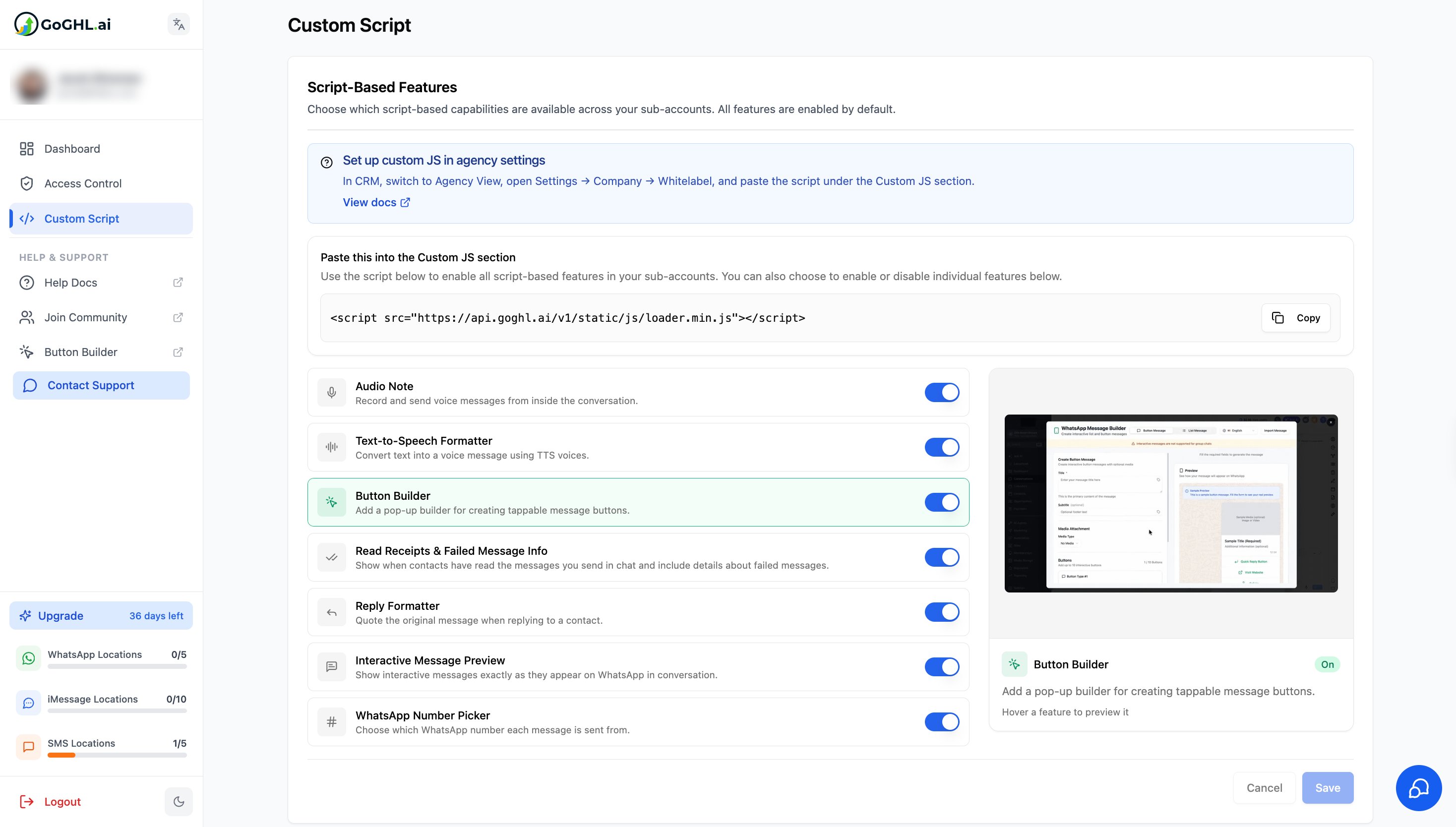
Enable only the features your team actually uses. This keeps the conversation view clean and avoids confusion for your clients.
Support
If you face any issues while setting this up or need help onboarding your team, reach out to us via:- WhatsApp Support: Chat on WhatsApp
- Email: support@goghl.ai