

What it is
Style quoted replies in the CRM so they look the way they do on WhatsApp. When a contact replies to a message, or you reply from your phone, the quoted message is shown above the reply text instead of as plain text, giving every reply clear context inside the conversation.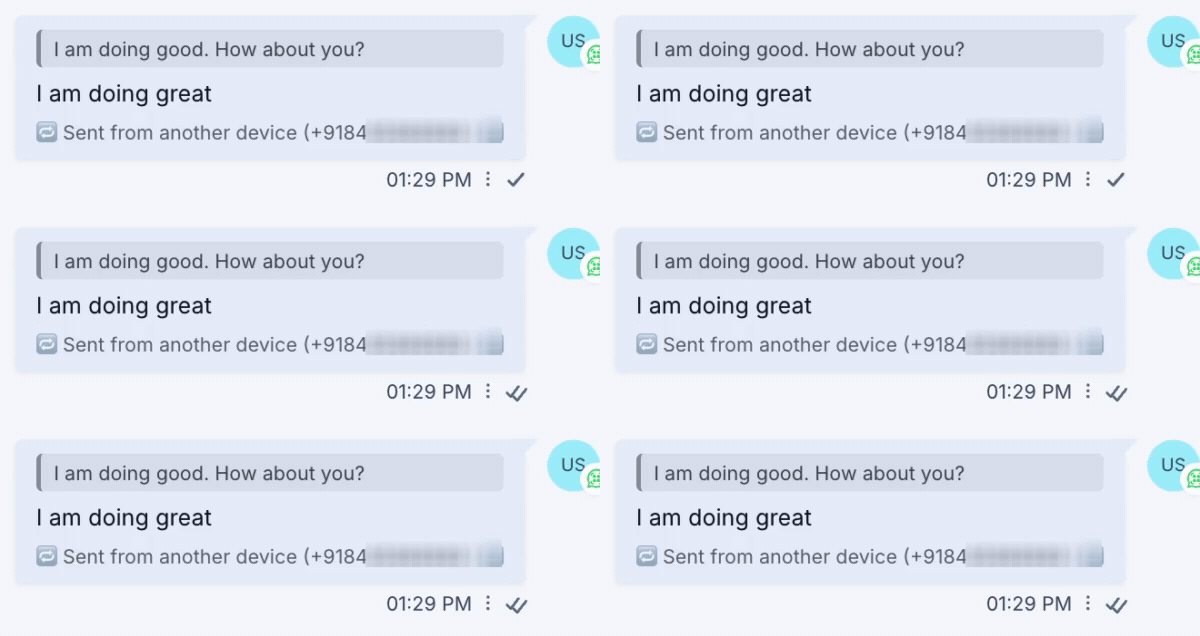
How to enable it
1
Open your GoGHL dashboard.
2
Go to the Custom Script settings.
3
Turn on the Reply Formatter toggle.
How to use it
Nothing else to configure. Once the toggle is on, quoted replies in the conversation are formatted like WhatsApp:- Replies from a contact show the quoted original message above the reply text
- Replies sent from your phone or WhatsApp Web are synced into the CRM with the quoted message and a Sent from another device label
Notes & limitations
- Quoting a message from inside the CRM is not available yet. This feature only formats replies that were quoted on WhatsApp
- Regular messages that are not replies are unchanged
Support
If you need help with the setup or onboarding:- WhatsApp Support: Chat on WhatsApp
- Email: support@goghl.ai