

What is Managed iMessage?
With the standard iMessage setup, you bring your own iPhone, Mac, and phone number. With Managed iMessage, we bring everything: we provide the devices, run them in our own infrastructure, and hand you a live iMessage channel inside GoHighLevel. No Mac. No iPhone. No US number. No problem. It’s a direct connection with nothing to configure on your end - the same connection our self-hosted customers use, but provisioned, hosted, and monitored 24/7 by our team. Built and operated by ex-HighLevel engineers, it’s the most stable iMessage solution for GHL.You just install the marketplace app and claim your number in the GoGHL dashboard. That’s
the whole setup.
What’s in your setup
Everything below is included in the flat monthly price:Dedicated iPhone
A real iPhone, provisioned and managed by us. It’s dedicated to your account - not shared
with anyone else.
Mac, hosted & run by us
The Mac that powers your iMessage connection lives in our infrastructure and is monitored
24/7. No sleep mode, no dead batteries, no dropped wifi.
US or Australia SIM
A real, textable phone number on a physical SIM. Your customers can reply to it like any
other number.
Dedicated onboarding & support
A specialist sets everything up for you and stays on call afterwards.
Pricing
There are no hidden costs: the devices, the hosting, the phone number, and the support are all
part of the monthly price.
How it works
Getting a Managed iMessage line takes a single call with our team and a couple of clicks in your GoGHL dashboard. Here’s the full process:1
Book a call - we set everything up on it
Schedule a quick call
with our team. On that one call we answer your questions, confirm the number of lines you
need, and set up the service for you in the backend: your dedicated iPhone, the hosted
Mac, and your US or Australia number, all connected to our monitored infrastructure.
Make sure the GoGHL marketplace app is installed in your
GoHighLevel sub-account. That’s the only setup on your end.
2
Add an iMessage device in your dashboard
Log in to app.goghl.ai, open the location you want the line on,
and go to the iMessage tab. Click Add iMessage Device (or Add Instance if the
location has no devices yet).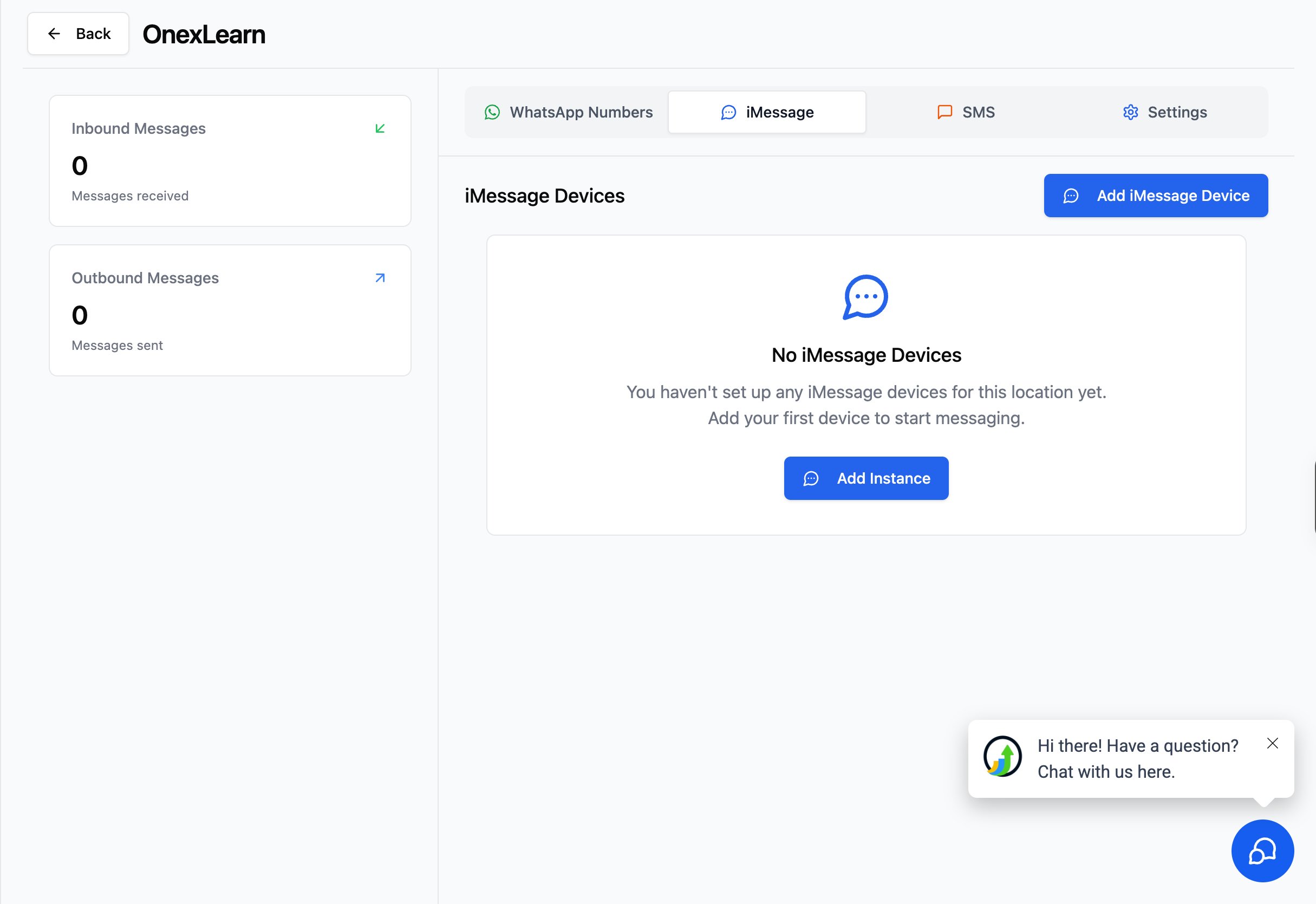
Access it from inside GoHighLevel. You don’t have to leave GoHighLevel to manage
your line. Click Message Hub in the left sidebar of your sub-account to open the
same iMessage devices and settings screens right inside GoHighLevel.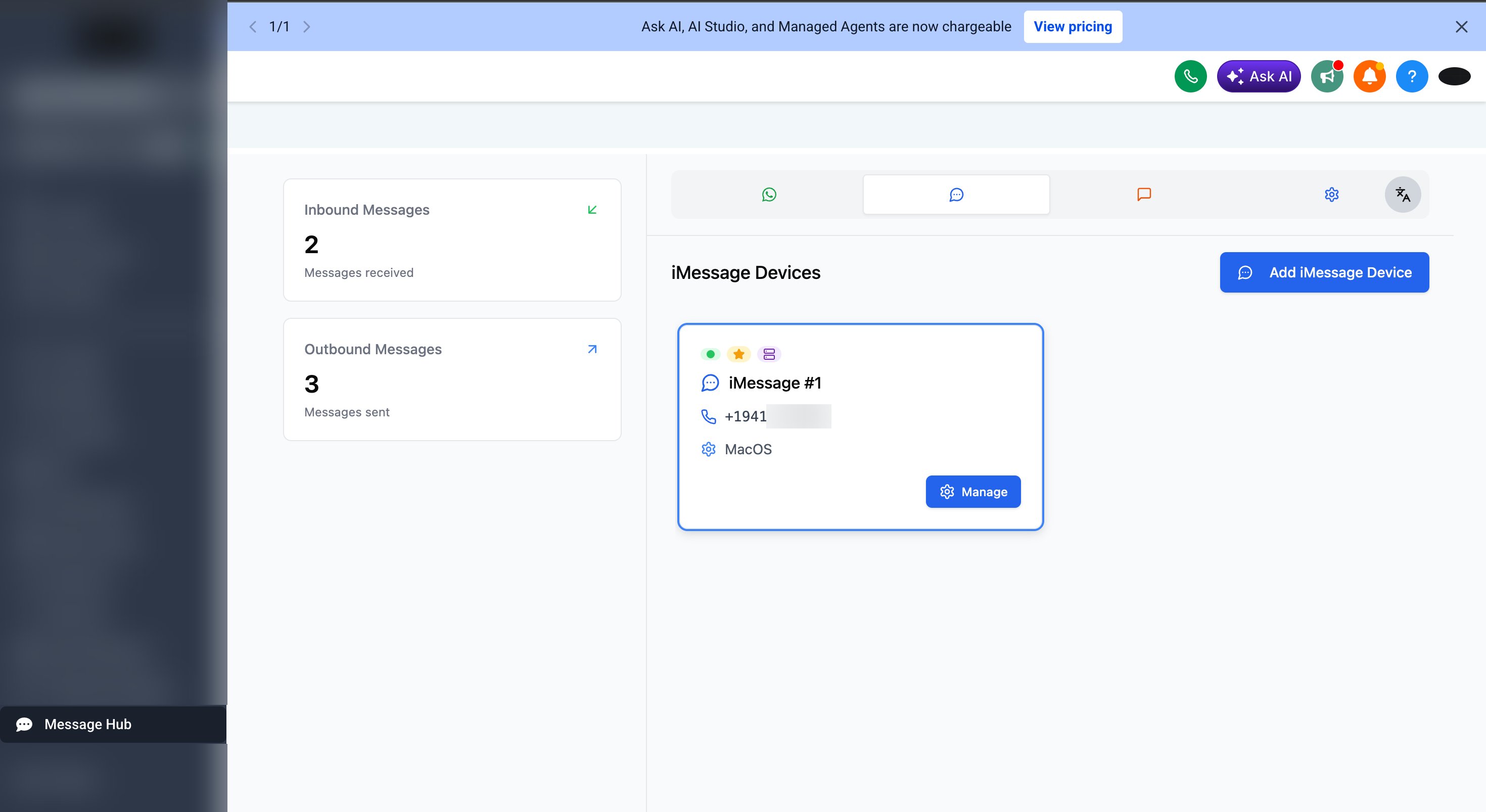
3
Choose Managed
In the Add an iMessage device dialog, pick Managed and click Create instance.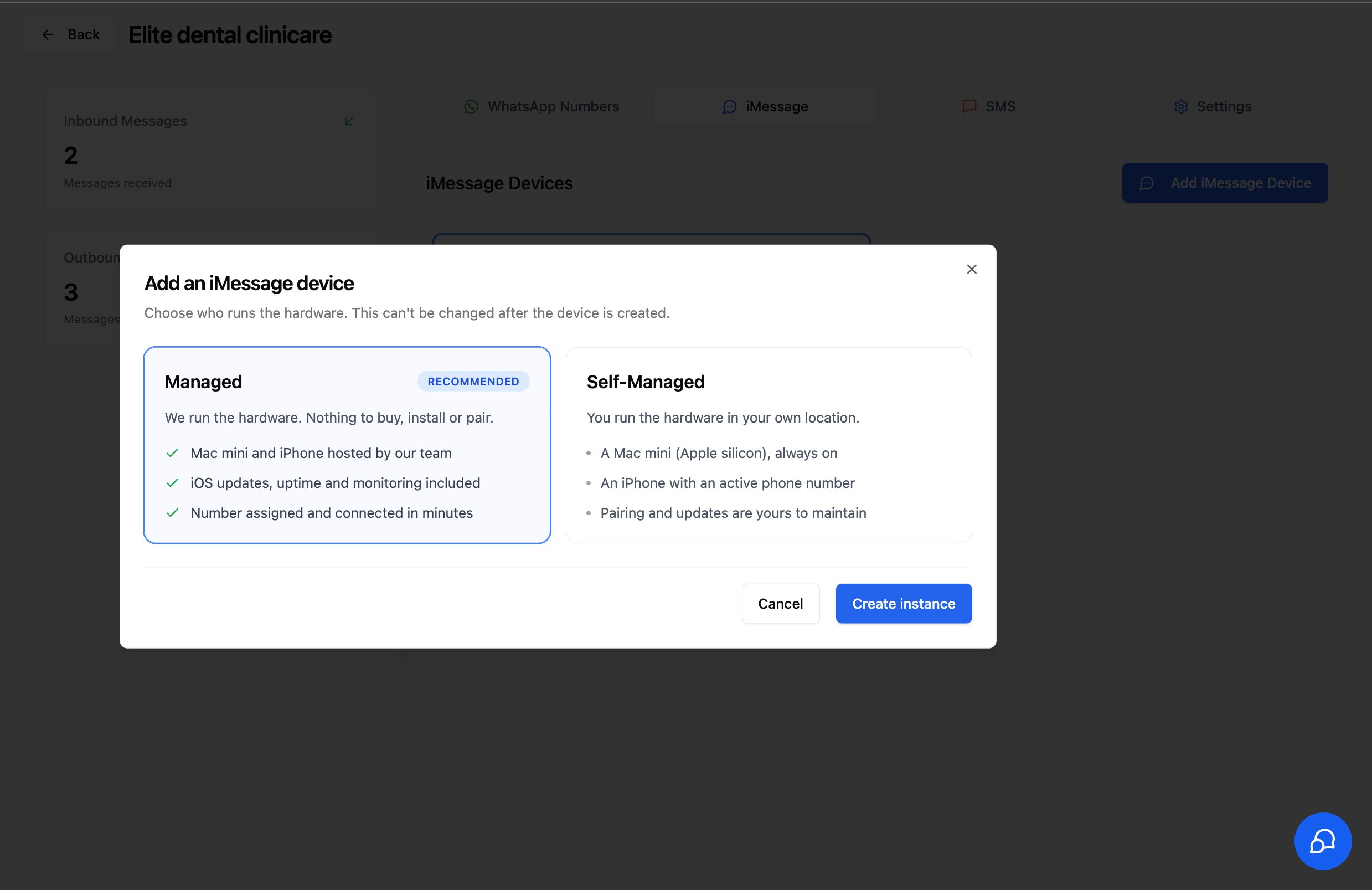
4
Claim your number
The Claim a Managed Number dialog lists the numbers available on our managed
hardware. Select one and click Claim Number. It becomes the active iMessage number
for this location right away - no Mac, no pairing, no device setup.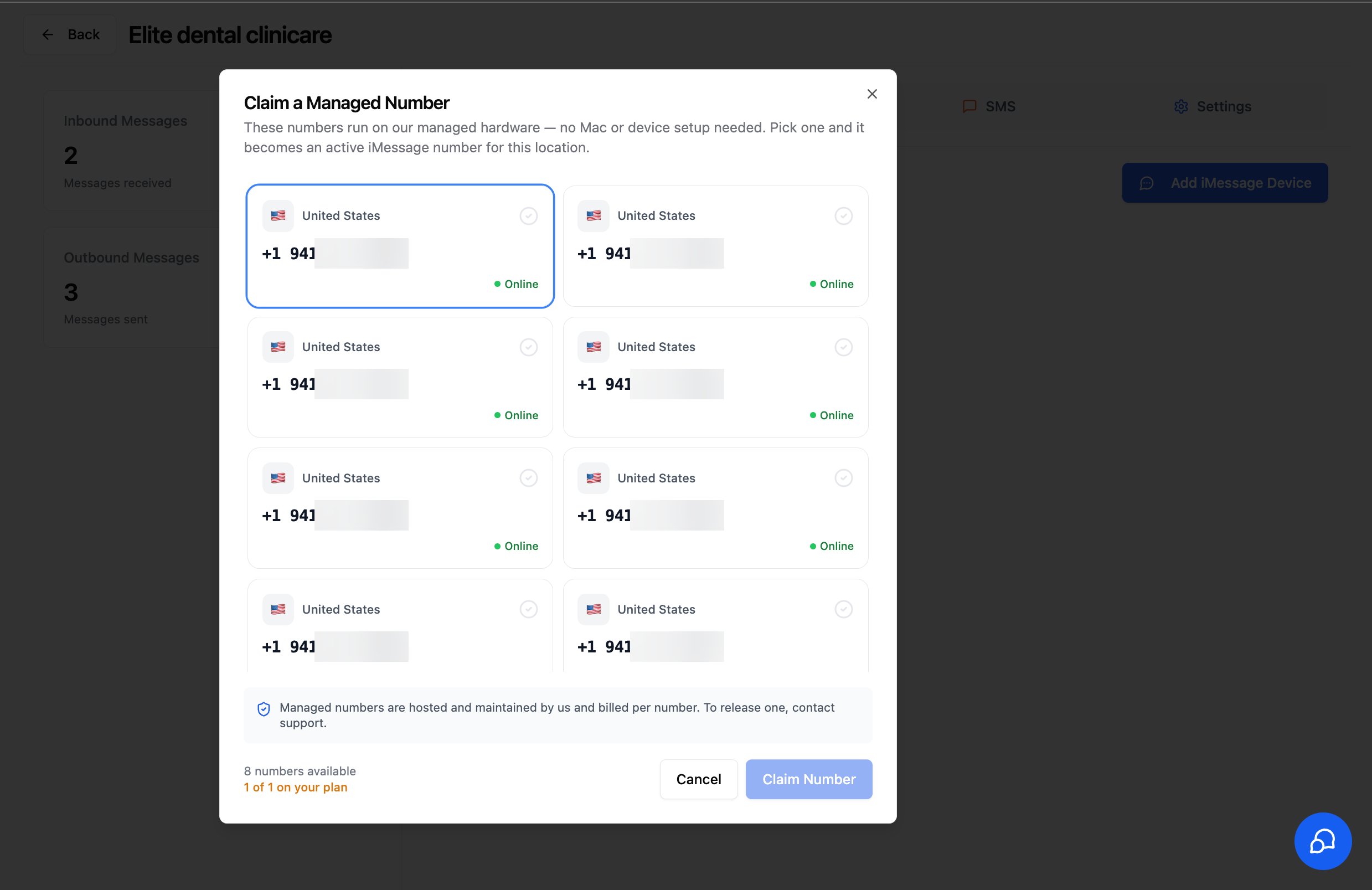
5
Your device is connected
Back on the iMessage tab, your new device shows up with the Connected,
Default, and Managed badges and the number you claimed. There’s nothing to
install, pair, or keep online - we handle all of that.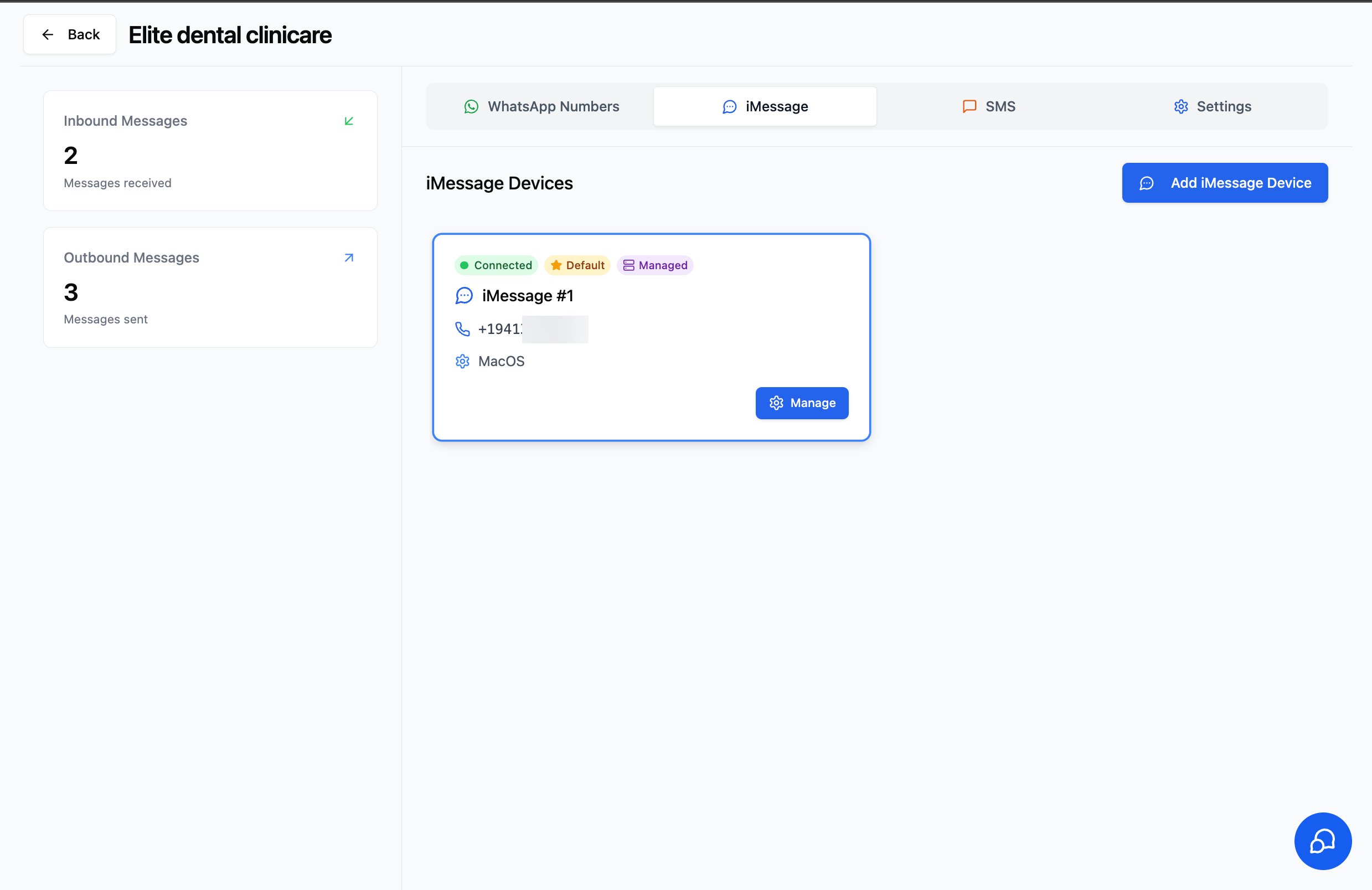
6
Review your settings (optional)
Click Manage on the device card to open its settings. Managed numbers come
pre-configured: when a recipient isn’t on iMessage, the message is sent as SMS from
the same number using the SIM in your iPhone. This fallback is fixed for managed numbers.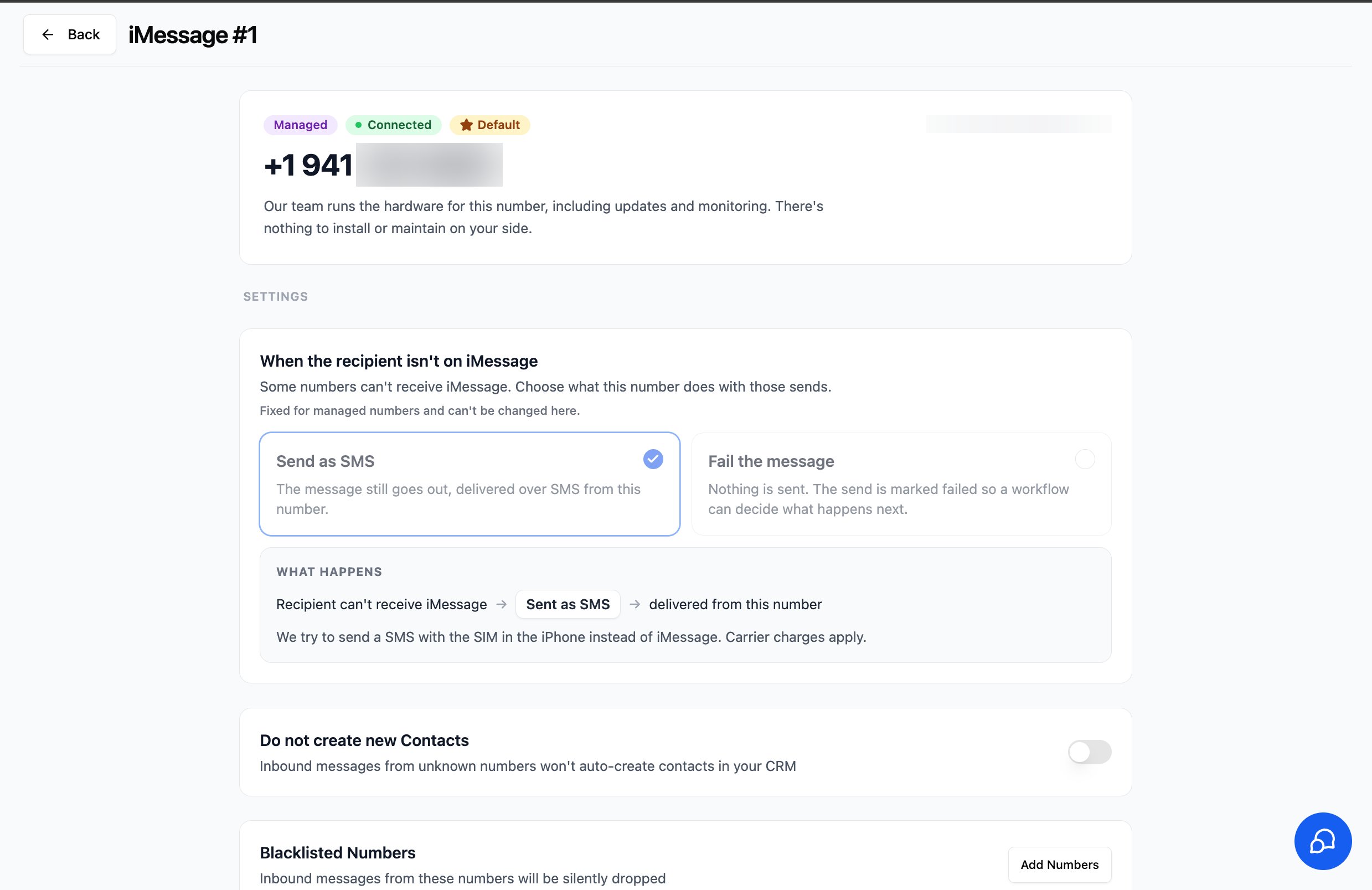
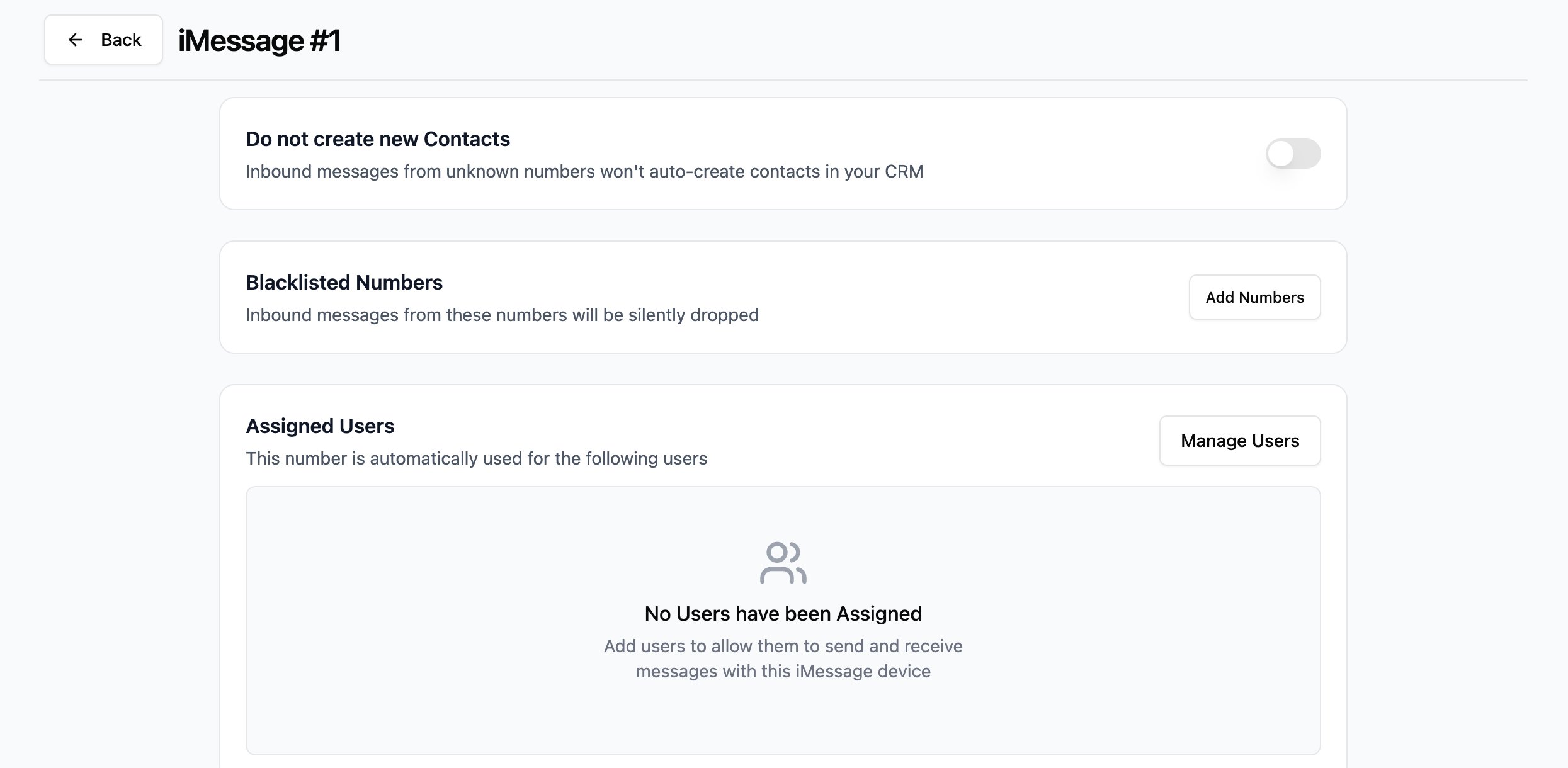
- Do not create new Contacts - inbound messages from unknown numbers won’t auto-create contacts in your CRM.
- Blacklisted Numbers - inbound messages from these numbers are silently dropped.
- Assigned Users - pick which users are allowed to send and receive from this number. Click Manage Users to add them.
7
Start texting
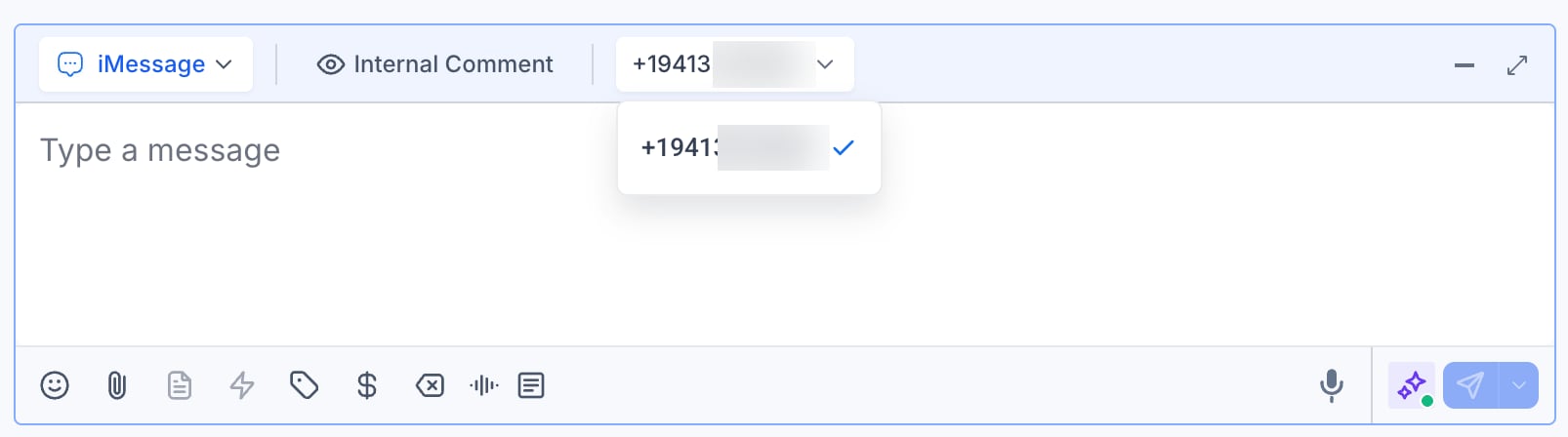
Open any conversation in the GoHighLevel Conversations tab. In the message composer,
choose iMessage as the channel.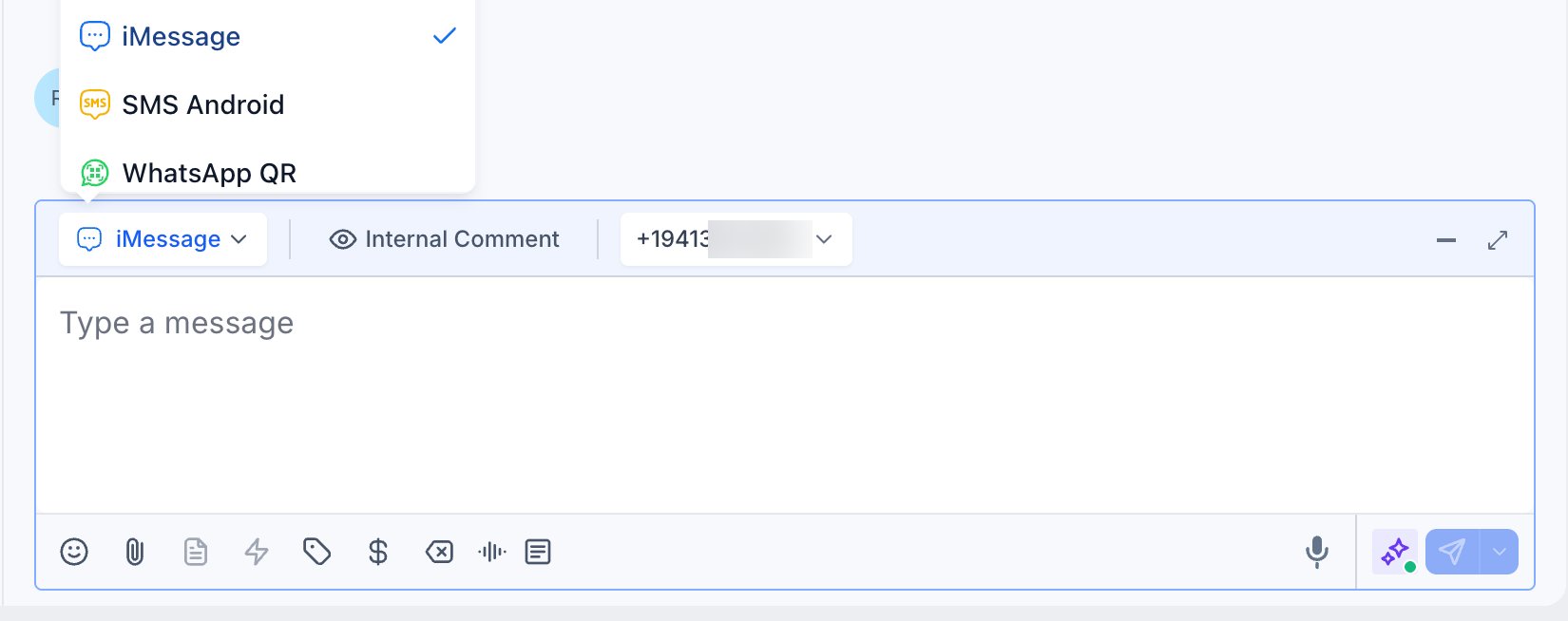
Managed vs. self-hosted
Not sure which option fits you? Here’s the difference at a glance:
Already have an iPhone, a Mac, and a number you want to use? The self-hosted route works
great - start with the iMessage Setup Guide.
Book a call
Ready to go, or just want to see it in action?Book a Call
Grab a slot with our team - we’ll get your Managed iMessage line set up. Limited-time launch
offer: $0 setup fee.
Support
If you need help or have questions about Managed iMessage:- WhatsApp Support: Chat on WhatsApp
- Email: support@goghl.ai