

What it is
With WhatsApp’s new username feature, people can message you without ever revealing their phone number. When such a contact reaches you, there is no phone number to save in the CRM, so the usual phone-based contact flow does not apply. GoGHL handles this automatically. The contact is created from the first inbound message, and outbound messages keep working through WhatsApp’s unique identifier (LID) instead of a phone number.Username support only works on the latest version of the app. If username contacts are not being created as described below, update your app first.
How the contact is created
When you receive the first message from a username-only contact, the system creates the contact with: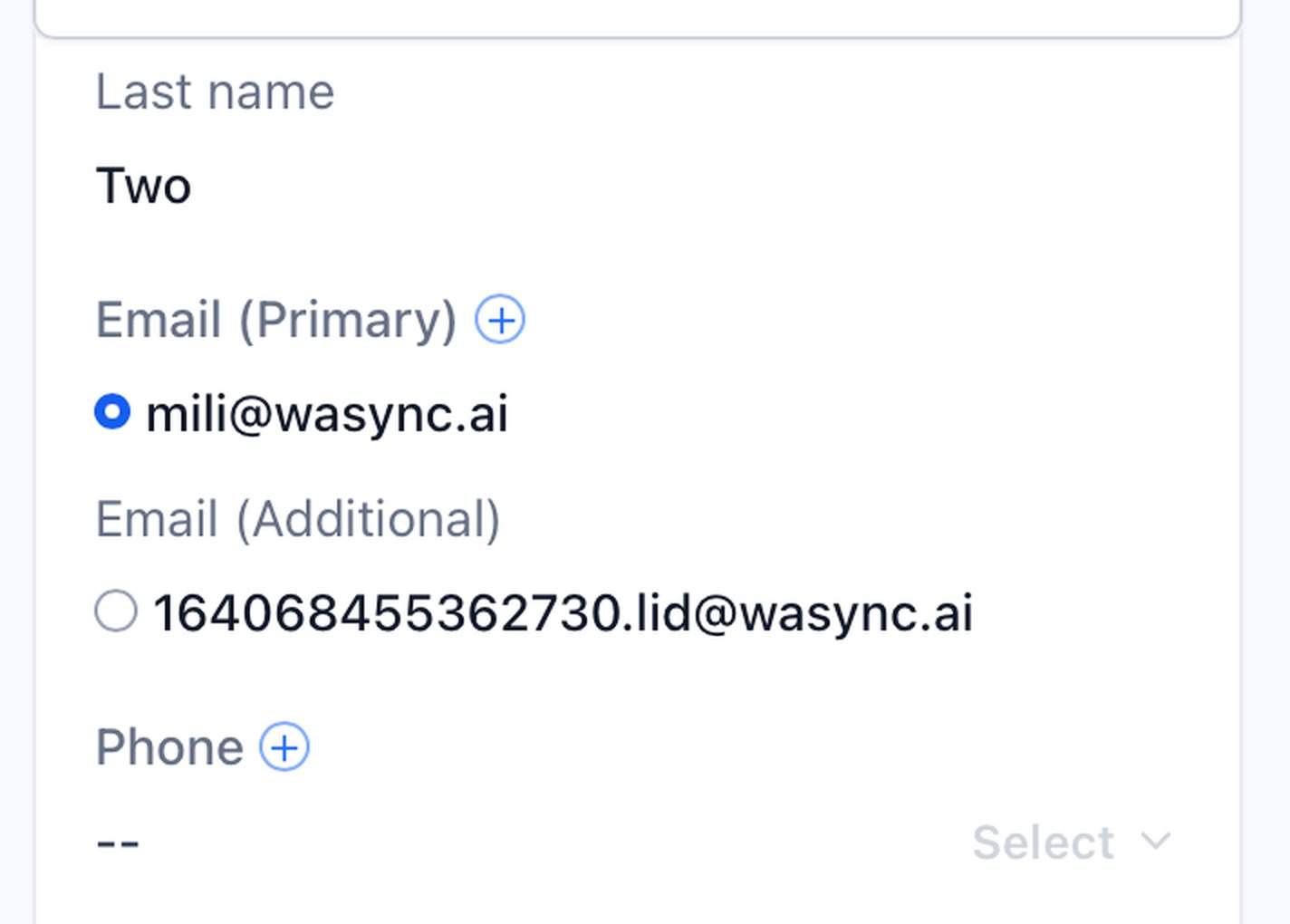
Sending messages
To message a username contact, use the WhatsApp QR channel. It is our dedicated WhatsApp conversation provider and the only channel that can deliver to these contacts, since it routes the message using the WhatsApp LID stored in Email (Additional) instead of a phone number. Select WhatsApp QR in the Conversations composer. Learn how the WhatsApp QR channel works and how to set it up in Custom Providers.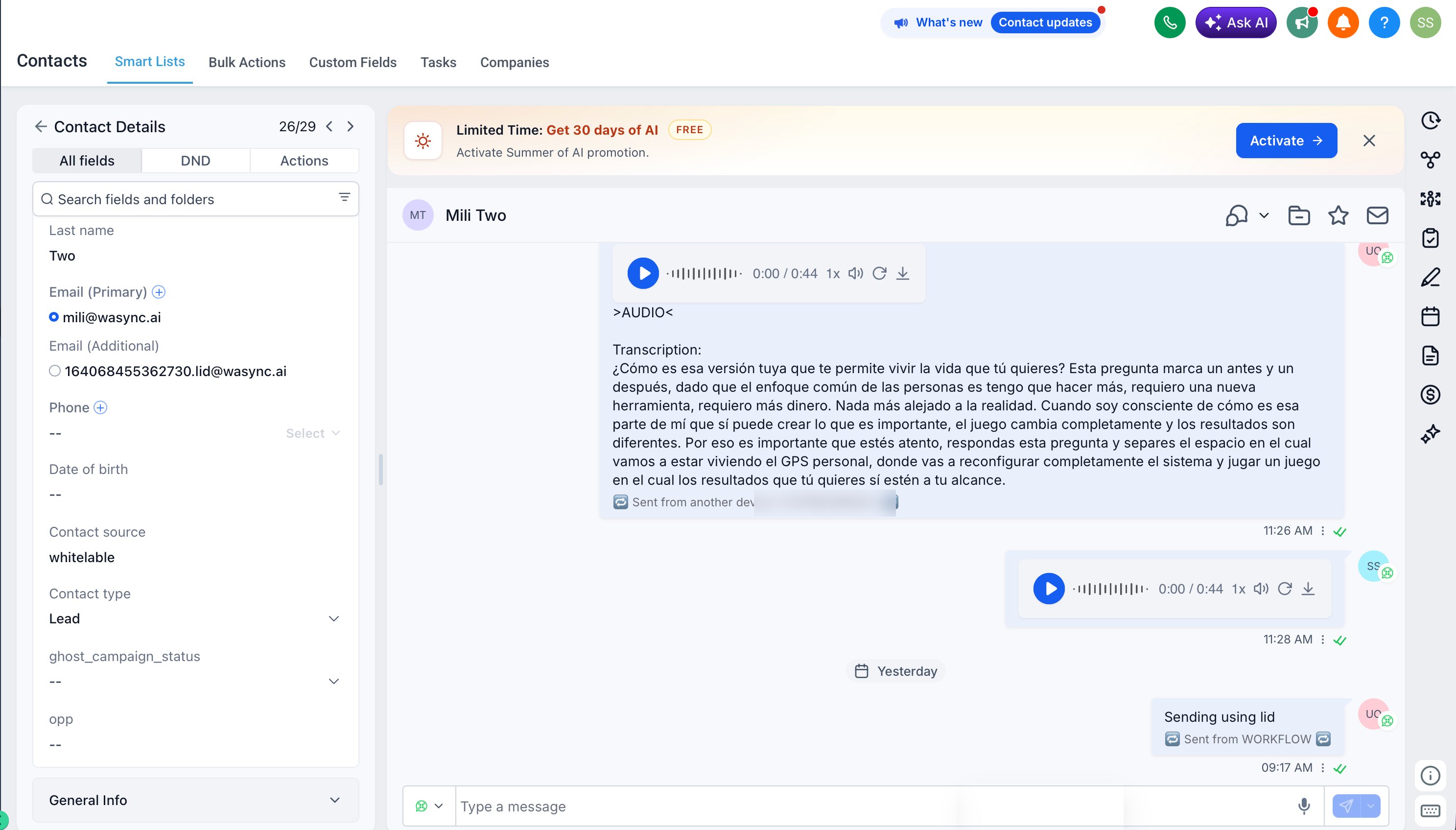
Notes & limitations
- Requires the latest version of the app. Older versions do not create username contacts this way
- Contacts that do have a phone number are unaffected; everything works as before
- SMS and iMessage channels are unaffected for contacts with phone numbers
- Both email entries are for internal recognition and must remain on the contact permanently, exactly as created, for outbound to work
Support
If you need help with the setup or onboarding:- WhatsApp Support: Chat on WhatsApp
- Email: support@goghl.ai
FAQ
Can I change the emails that were created automatically?
Can I change the emails that were created automatically?
No. Both the primary and additional emails are used internally to recognize the contact and deliver messages. Do not change either of them in any situation.
What happens if I delete or edit an email ending in .lid@wasync.ai?
What happens if I delete or edit an email ending in .lid@wasync.ai?
Outbound messages to that contact will stop working, since that entry stores the WhatsApp unique identifier used for delivery. Do not remove or edit it, whichever field it sits in. If it was deleted by mistake, contact support.
Can I add a phone number to the contact later?
Can I add a phone number to the contact later?
Yes. If the contact shares their phone number, you can add it to the Phone field. Keep the
.lid@wasync.ai additional email in place either way.