

What it is
Choose which WhatsApp number each message is sent from, making it easy to manage multiple numbers from one conversation view.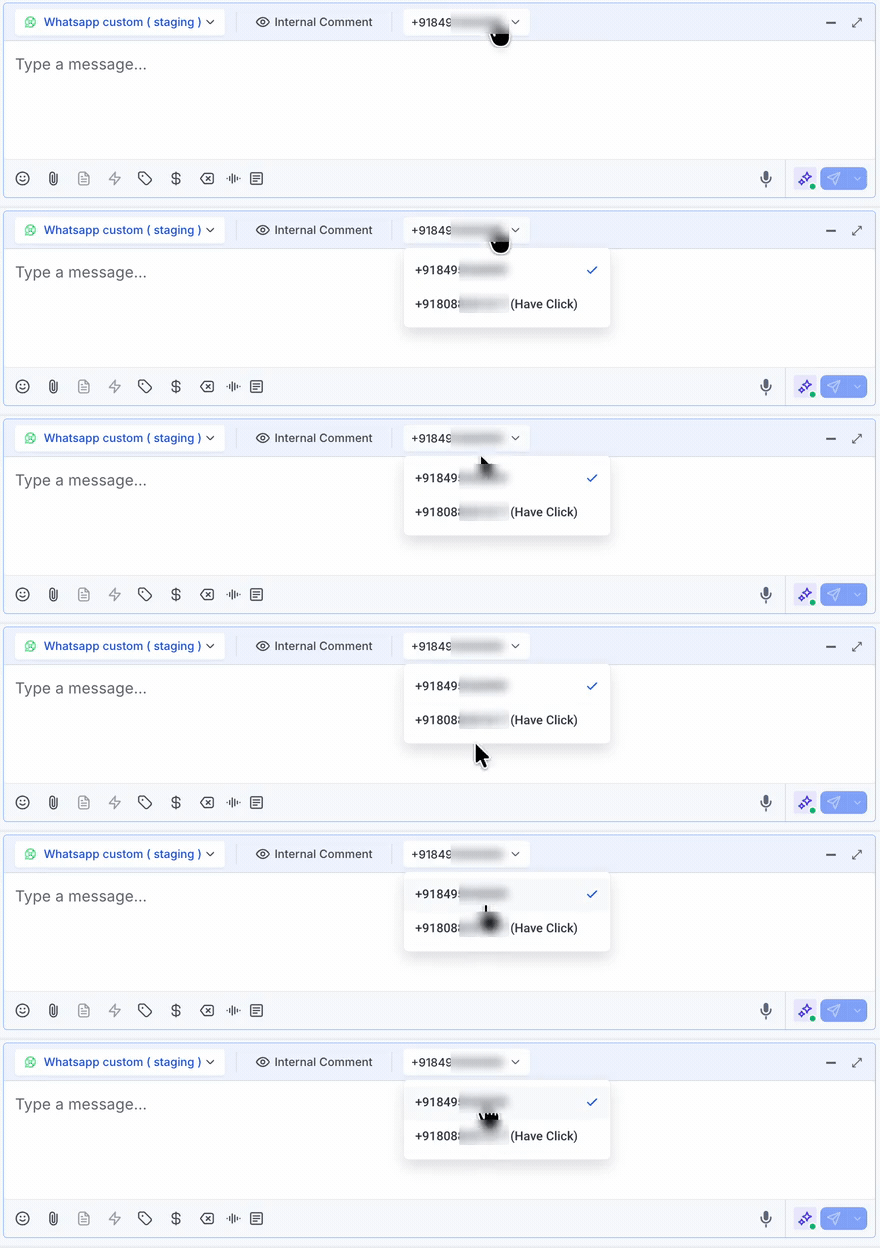
How to enable it
1
Open your GoGHL dashboard.
2
Go to the Custom Script settings.
3
Turn on the WhatsApp Number Picker toggle.
How to use it
1
Open a WhatsApp conversation in the Conversations tab.
2
In the composer header, click the phone number dropdown next to the channel selector.
3
Pick the WhatsApp number you want to send from. The active number is marked with a check mark.
4
Type and send your message as usual. It goes out from the selected number.
Notes & limitations
- The picker only appears when the sub-account has more than one WhatsApp number connected
- The selection applies to the current conversation; other conversations keep their own number
Support
If you need help with the setup or onboarding:- WhatsApp Support: Chat on WhatsApp
- Email: support@goghl.ai